


Facebook, Twitter and other social networking sites are great for small businesses to promote themselves for free, and communicate with customers. Both Twitter and Facebook are ideal for issuing periodic and real-time announcements for new products, services and discounts.
Do you want to learn how to use your digital camera, create a professional or profile photo, crop and enhance photos on your computer or scan old photographs? We'll help you become picture perfect.
Whether you want to set up your own YouTube account and record video for your business, import songs or watch old movies and hear your favorite tunes, we can help you get the max from media.
Email and VOIP (Voice over IP) Communication is time- and cost-saving, but many do not use it to the fullest advantage. Learn how to set up email rules and internet-only phone lines with video.
While researching, working, and communicating online are all easy to learn, it's important to safeguard your personal information while you do so. We'll work with you to keep your information private, conduct safer searches and make social pages (e.g. Facebook) more secure.

PETERBOROUGH PC was born of a hope to help small businesses and individuals reach their full online potential. We are happy to help small and large businesses as well as individuals in setting up or using computers and software, offer advice on computers, software and social networking and on developing a powerful online presence for profit or just for fun. We have learned to explain things simply and clearly, and to write things down for those who tend to forget.
Peterborough PC offers
in-house computer and peripheral installation, setup and migration for individuals and companies.
We offer computer optimization, data backup, purchase consulting for computer or add-ons, and much more.
If you need specialized training for yourself or your organization, or just need someone to call when you get stuck, we will be there.
We offer in-house computer and software training for local business, groups and individuals. From basic computer and email use, to support for many Mac and PC products including graphic-specific software, we will help you make the most of your purchase. If we can't help you, we can help you find someone who can. We offer patient and kind training to help you understand at your own learning level and speed.
Integrated social media helps you connect with your customers or families in creative and profitable ways.
A strong digital presence is an important part of any business. We design solutions that will help connect your organization with your audience. We have won awards for website design and will ensure you an excellent website outcome.
We can help you use your digital camera, download and crop photos, optimize photos and send or upload your finished product via email, smartphone or post to a website or social media. If you want us to come along on a photo shoot to help, we can do that too.
We also do original digital photography and video, as well as photo and video editing.
Services: Setting up a new Mac or PC, train in basic computer usage, training in social media (Facebook, Twitter, Skype, Linkedin), computer or mobile device setup, setting up email services, remove spam, add peripherals such as printer, scanner, set up internet services.
We do not: Install gaming systems or servers, repair computer parts or smartphones.
About this Blog
We may be busy with customers, but will have something new to read each month!
Computers can be overwhelming, particularly for those who did not grow up with computers, smartphones, iPads, and digital cameras. However, with proper one on one instruction and some patience, it is tremendously rewarding for seniors to learn to email, surf the net and learn some software skills. Learning to use the computer can mean staying in touch with family, becoming or remaining employable, keeping up with important health information, learning a new hobby and furthering education. Here are a few tips to get you started - based on training Senior Citizens of all experience levels.
First, teach them about the basic parts of the computer. Do not overwhelm them with anything more involved at first. The computer is introduced, then the monitor and the mouse (with which they can practice pointing and clicking). The keyboard is next; teach the basics... no confusing combinations at this point.
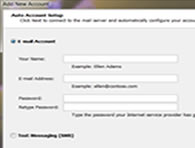
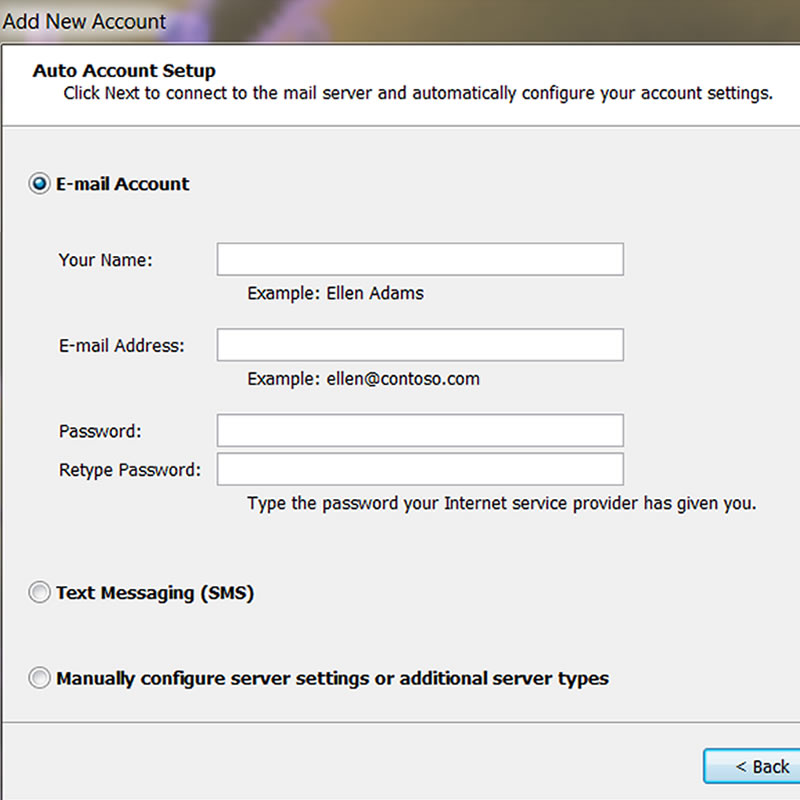
The next step is to help them set up an email account. A free account such as Yahoo or gmail will be fine. If the senior is working with a family member, they may have some family email addresses to start with. Sending and replying to email is not obvious to many seniors - most need to be shown how.
Next, go over some Internet basics.
Show them how to conduct a search, but be sure their safety settings are set properly first. Lead them to a few sites that will further their interest - something related to their hobbies and experience. Teach them about ads, pop ups, and invasive questions - most are naturally wary and will understand that they are not to give out information without a good reason.
If they are not overwhelmed and not rushed, they'll learn that the computer is a fun piece of machinery and not something to be feared. They'll soon be wanting to learn more.